
Start with a shared brief
Make the objective and offer clear before the team moves into execution.
Coordinate / SPECIALIST APP
Turn one local objective into coordinated campaign choices and practical next actions.
Bring PR and PA together around a local launch: establish the context, align the story, assign channel roles and prepare the work that each execution tool will develop.
Explore it in a demo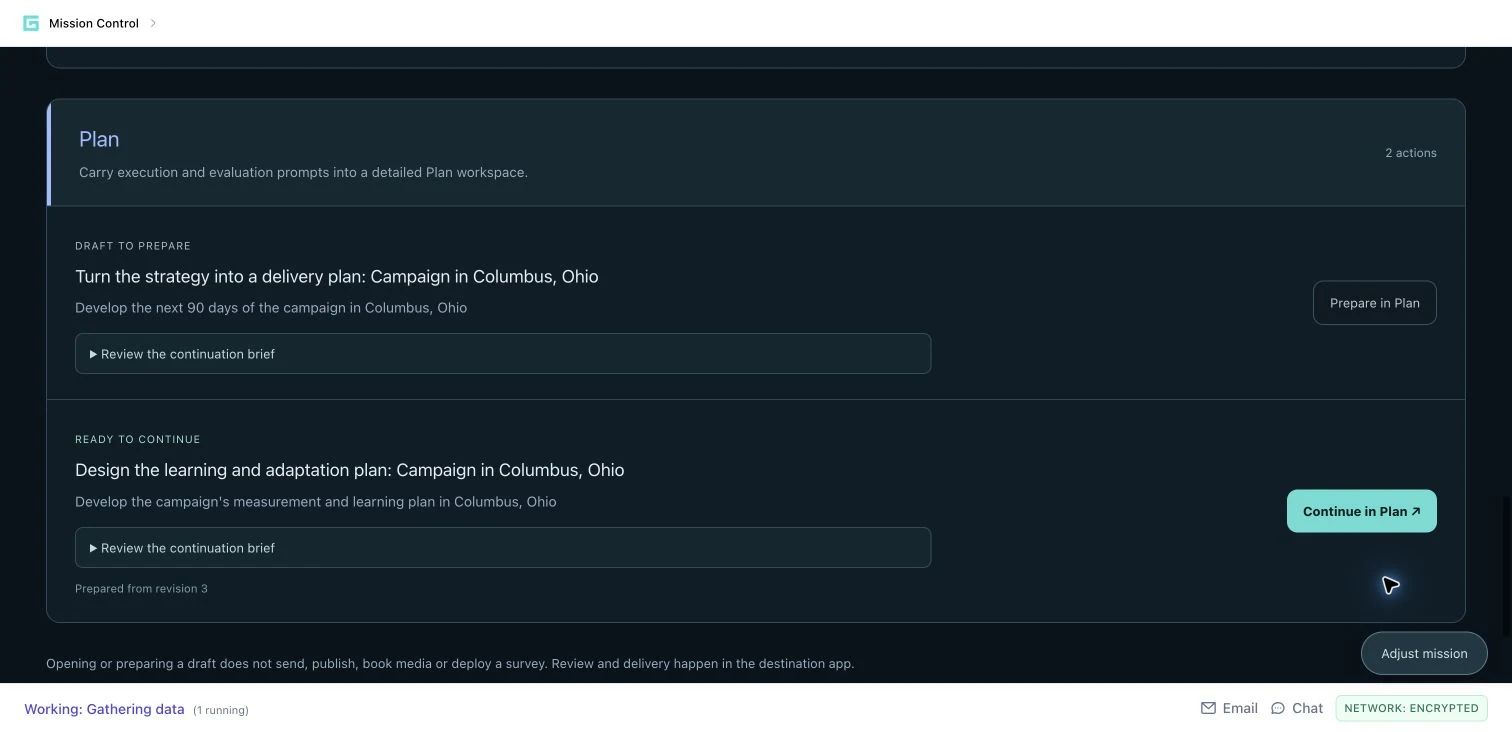
15 SECONDS / INSIDE THE WORKFLOW
See how a shared mission can carry local context, campaign choices and editable work into the specialist apps that develop it.
Guided product walkthrough using actual demo screens. Silent, with on-screen explanations.
Make the objective and offer clear before the team moves into execution.
Turn the campaign assignment into an editable delivery-plan handoff.
Open prepared work in Plan, with the continuation brief ready to review.
THE FULL WORKFLOW / EXPLORE EACH STEP
Choose the permitted geography and describe the change or action the campaign should support. Attach product facts, brand guidance or research where available. Review the working brief so confirmed inputs, assumptions and dependencies are clear.
An editable assignment with a place, objective, constraints and source context.
THE REVIEWThe campaign owner confirms the brief. Missing offer details or partner commitments remain questions for the team.
Discover brings available local indicators and current research into an evidence-linked briefing. Inspect sources, geographic scope, dates and coverage. Research candidate people and organizations, then assess their documented relevance.
A community briefing, evidence views and potential connections to investigate.
THE REVIEWCheck what each source supports. Illustrative journeys and generated images are not actual interviews or documentary evidence.
Develop a plan across Media & PR, Creators & social and Paid media. Review the audience, desired action, sequence, messenger roles and measures. Make the local adaptation explicit: what should change because of the evidence, and why?
A working campaign plan with channel recommendations, next actions and success measures.
THE REVIEWAgree the strategic choices and the assumptions behind them. Source profiles do not prove endorsement, availability or local reach.
Use Activate to review drafted pitches, social content and paid creative concepts. Edit the copy and production directions, then save a revision. Where media generation is used, inspect the result and its completeness before taking it into production.
Editable creative drafts, with copy and production directions the team can refine.
THE REVIEWOwners check claims, tone, accessibility and the call to action. A ready draft or storyboard preview is not proof of delivery.
Use Next actions to prepare or continue supported work in the destination app. Prepared records retain mission context and source revision, while older linked work can be reviewed against a changed brief. The saved mission can also be exported as an editable Word or PowerPoint review package.
Real continuation links to editable work, plus a review package for the team.
THE REVIEWReview the destination draft before sending, publishing, spending or deploying a survey. Those are separate actions.
HYPOTHETICAL WORKED EXAMPLE
WHAT IT DOES / WHY IT MATTERS
Combines local indicators, current research and people or organization discovery around a defined place and goal.
Give PR and PA a shared starting point and visible evidence for campaign choices.
Organizes Media & PR, Creators & social, and Paid media with drafts, messenger roles and measures.
Make the surrounding campaign coherent while giving each channel a clear job.
Creates or opens editable destination records with mission revision and brief references retained.
Carry the assignment into detailed execution without reconstructing the brief.
Community briefing, campaign plan, creative drafts and next-action links.
Next actions can prepare Email Campaigns, Social Content Manager, Local Pitch Hub, Hyper Local Media, Polling and Plan work.
YOUR NEXT PRIORITY
Explore how your objective could move through research, message development and practical execution.
Request a demo Download the overview ↓