
Put alternatives side by side
Prepare message variants to explore with a synthetic audience panel.
Validate / SPECIALIST APP
Explore plausible reactions before taking draft messages into real world audience research.
Compare public-information drafts, inspect likely objections and refine confusing wording before stakeholder review or a research programme involving real people.
Explore it in a demo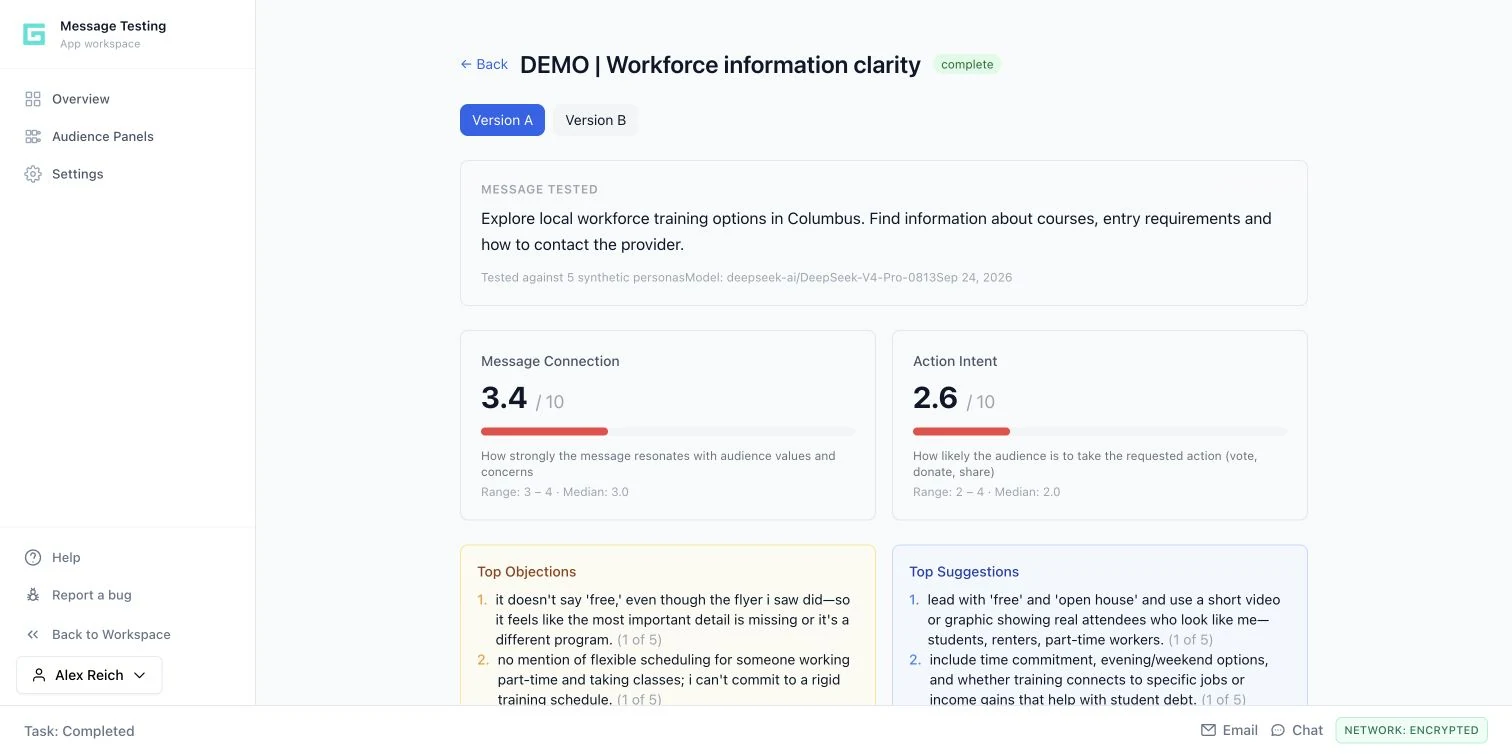
15 SECONDS / INSIDE THE WORKFLOW
Use synthetic feedback to make assumptions, objections and weak phrases visible before decisions that need real audience evidence.
Guided product walkthrough using actual demo screens. Silent, with on-screen explanations.
Prepare message variants to explore with a synthetic audience panel.
Inspect message connection and action intent as signals for further review.
Use objections and suggestions to decide what to refine or test with people.
THE FULL WORKFLOW / EXPLORE EACH STEP
Choose an allowed geography and, if helpful, describe the intended audience in plain language. The tool creates synthetic persona profiles using available geographic context. The description steers generation; it is not a hard eligibility filter.
A synthetic panel with persona details and available data-grounding notes.
THE REVIEWCheck whether the panel is useful for the question. These profiles are generated, not recruited people or observed residents.
Choose a completed panel and enter the message variants you want to explore. Keep the factual offer consistent so wording, clarity or the call to action is the meaningful difference. Give the run a title that describes the comparison.
A test run linking the panel and the text of each variant.
THE REVIEWRemove unsupported claims before the test. A favorable synthetic reaction would not make a false claim acceptable.
Review modeled resonance and action scores alongside phrase reactions, objections and improvement suggestions. Look for recurring uncertainty: missing dates, unclear eligibility, jargon or a vague next step. Inspect persona-level context where needed.
Variant reports, score distributions, phrase analysis and ranked suggestions.
THE REVIEWTreat reactions as hypotheses. Do not report the scores as measured support, conversion likelihood or representative public opinion.
Use the feedback to edit the draft or request a rewrite. The rewrite workflow uses the earlier report and creates a linked test run so the team can compare versions. Keep a record of why the wording changed.
A revised message and a linked comparison for team review.
THE REVIEWCheck that a rewrite has not invented facts, promises or audience assumptions. The team remains responsible for the final language.
Decide which remaining uncertainties need staff review, interviews, usability checks or a properly designed survey. Take the strongest research questions forward, rather than treating the synthetic test as the end of validation.
A reviewable draft and a focused list of questions for research with real people.
THE REVIEWUse an appropriate real research method for consequential decisions; Polling is a separate app and deployment workflow.
HYPOTHETICAL WORKED EXAMPLE
WHAT IT DOES / WHY IT MATTERS
Generates persona profiles from available geographic context and an optional plain-language audience description.
Make audience assumptions explicit and explore plausible reactions early.
Compares modeled scores, phrase reactions, objections and suggestions across personas.
Find weak language and prioritize questions for real audience research.
Uses aggregated feedback to suggest new wording and creates a linked test run.
Make iteration deliberate and keep comparisons traceable.
Synthetic panel, message reports, phrase analysis and linked rewrite tests.
Its testing engine also supports Social Content Manager, Local Media Planner and Local Pitch Hub.
YOUR NEXT PRIORITY
Explore how your objective could move through research, message development and practical execution.
Request a demo Download the overview ↓